 Danish
 English
 German



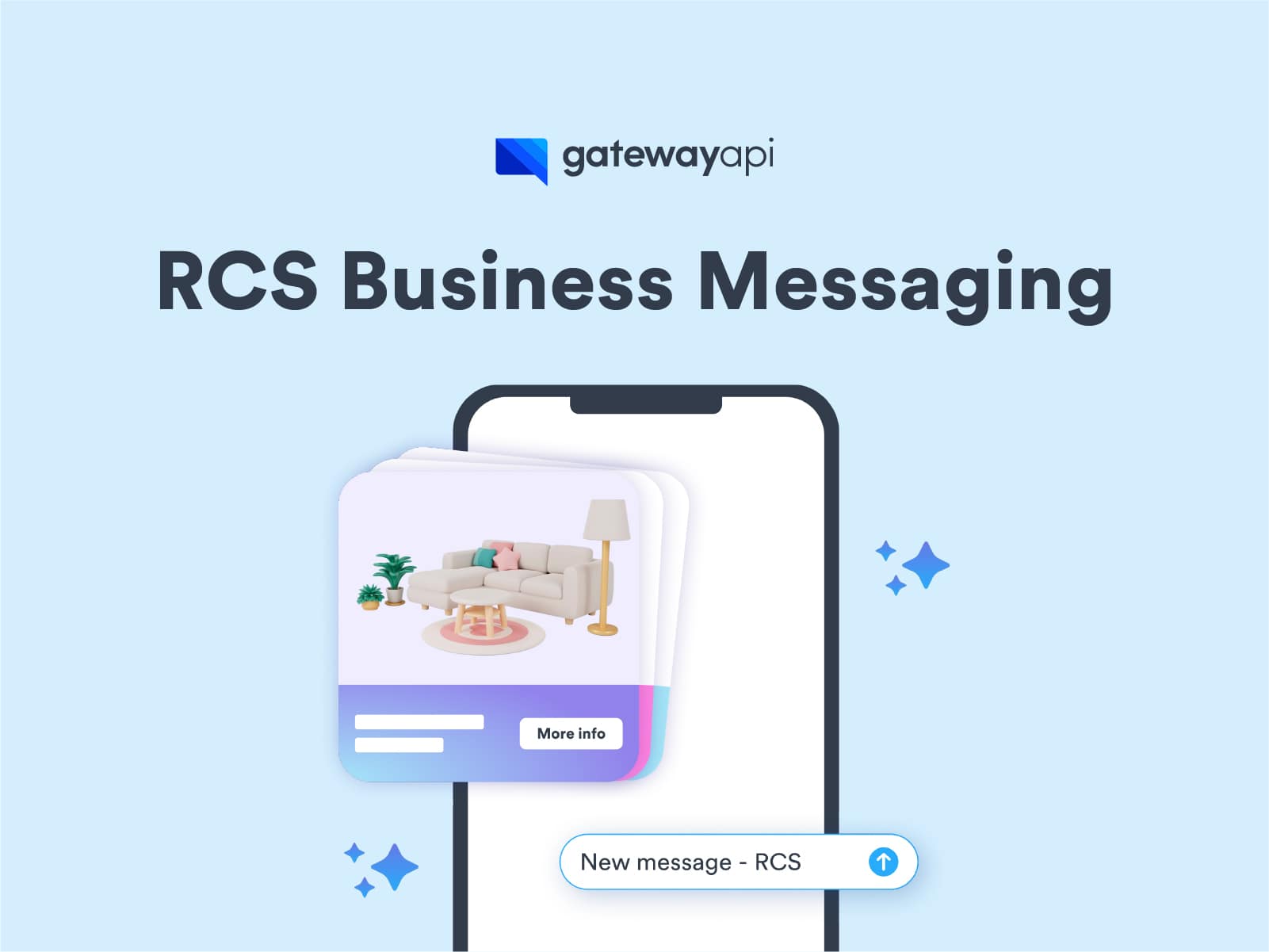
In this blog post, you will get an insight into the process of getting started with RCS Business Messaging, including registering an ‘RCS agent’, which is a requirement before you can send RCS messages. Please note that our experts will of course assist you throughout the entire process and make it as simple as possible for you.
If you have previously sent SMS messages via our API, some of it will be familiar, which is also why many in the messaging industry refer to RCS as ‘SMS 2.0’. However, there are some aspects where RCS differs significantly from SMS, including how a big deal of it is tied to an RCS agent.
Before we dive into the various steps involved in the registration, we will take a closer look at what exactly an RCS agent is and finally provide some historical perspective on why a big part of the RCS technology is rooted in Google.
What are RCS agents?
An RCS agent is a verified digital identity that a brand uses to communicate with recipients via RCS. In some respects, it is thereby reminiscent of the classic SMS Sender ID.
The agent’s primary purpose is twofold:
- Brand communication: It serves as the brand’s official, trusted sender. This includes name, logo, description, contact information and relevant links.
- Security: It acts as a crucial security measure, protecting both the brand and the RCS medium from abuse and unauthorized use.
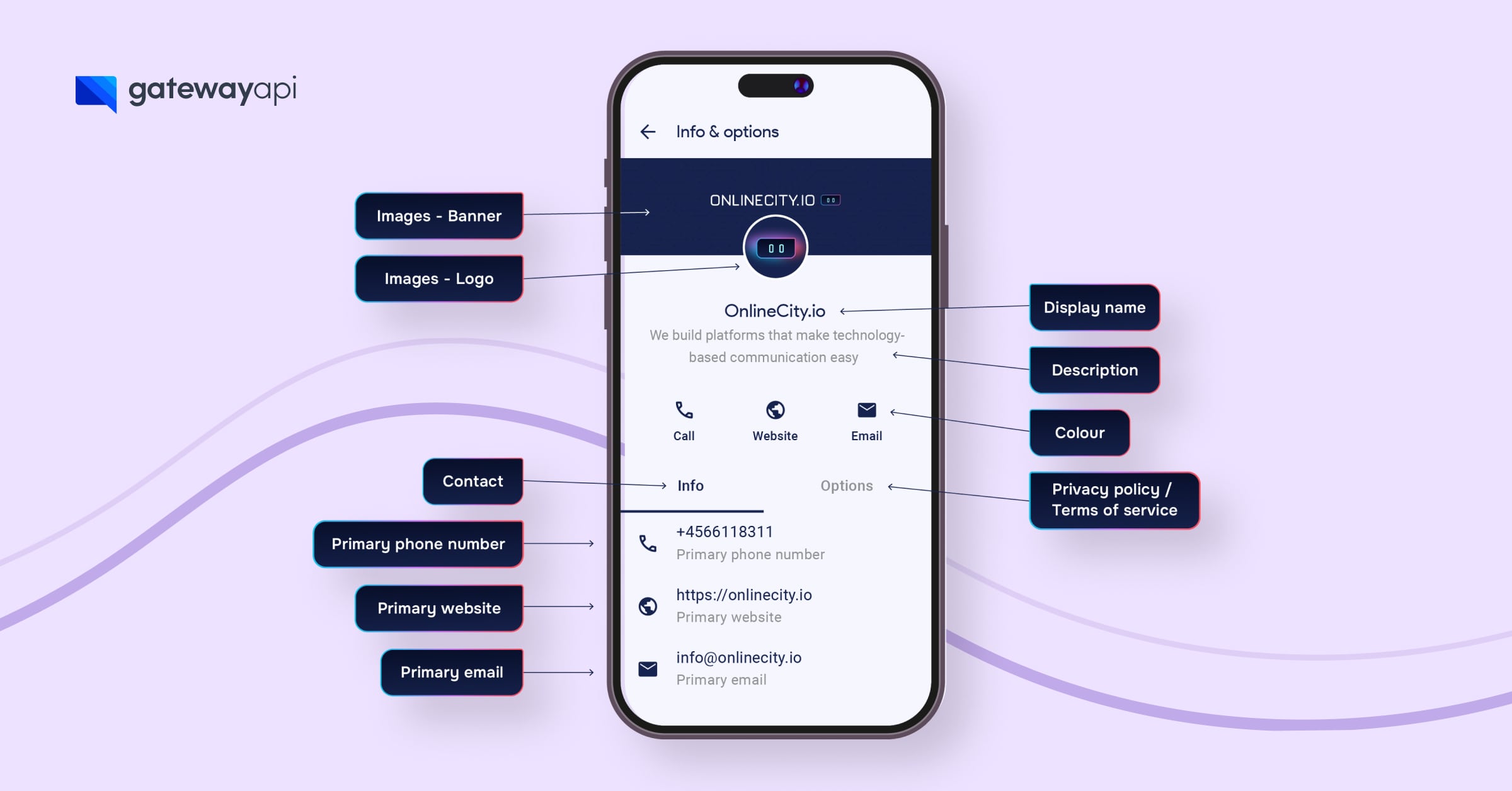
When a brand sends RCS messages to users, the RCS message will pop up in either Google Messages (Android) or iMessage (Apple) on the user’s device. By clicking on the brand name in the top of the message, the user is able to see extended information about the brand.
Here it is also important to note that if an RCS message cannot be delivered, for instance, due to device or network incompatibility, an automatic fallback to SMS is triggered by the GatewayAPI system. This mechanism ensures that the message reliably reaches its intended destination.
Google & RCS
RCS has been around since 2007 and has had a chequered history, with several attempts over time to get the technology to break through with a common standard. In 2015, Google joined the project with the aim of implementing it in the Android OS. In 2016, the GSMA (association of telecom operators) established a common Universal Profile, after which it gained additional momentum. Over time, more and more of RCS became tied to Google, and today most mobile operators use Google as a service provider to activate RCS on their networks.
For a long time, the biggest challenge was that Apple devices were outside the reach of RCS messages, but after massive pressure, Apple was persuaded in 2023 to commit to supporting the technology, thus ensuring that both Android and Apple devices would be RCS-compatible. Implementation began in 2024 with the rollout of iOS 18 in large parts of the world, focusing on RCS messages between private individuals first, and not from brands to private individuals. The latter requires a separate technical and commercial process.
At the time of writing, Apple and several telecom companies still need to finalize the last details to ensure full coverage of RCS from brands to private individuals in Europe and worldwide, but progress is good, so we are very optimistic. You can always contact us if you want the latest update on how far the rollout has progressed in the countries where you want to send RCS messages.
Registering an RCS agent step by step
We will now take a closer look at the registration process for an RCS agent and the various steps you need to go through, as well as what is a good idea to have clarified beforehand.
There may be different requirements in each country based on the guidelines of the local telecom operators. We will of course assist you in navigating these and ensure that the RCS agent is qualified to be activated in as many markets as possible afterwards.
As mentioned, this strict process is designed to prevent RCS from being used for fraud, as we have seen with the SMS technology. RCS agents are thereby also fantastic news for brands, as the security mechanisms more or less guarantee that no one else can (mis)use their brand as the sender name.
Step 1: One or more agents?
RCS messages from a brand appear in the recipient’s messaging app, where the brand’s name, logo, description and other profile information are visible. This clear branding increases credibility and recognition.
A brand can choose to have one overall RCS agent for all communication, or divide it into several agents for different departments, such as customer service and sales. However, consider the user experience carefully, as too many separate agents can cause confusion.
Step 2: Select the agent’s region
The brand must choose which region the agent will operate in: North America, Europe or Asia/Pacific. The choice should be based on where your users are located and on applicable local requirements – typically, you choose the region closest to your core market to minimize delay. However, all regions have equal access to telecommunications companies worldwide, so there is no need to choose a region based on specific operators. Please note that the region cannot be changed after the agent has been created.
Step 3: Select message category (RCS type)
In Google’s terminology, you must select a ‘message category’ for the agent, depending on how you expect the communication to be.
There are two main types: Basic/Single RCS (for single messages with no expectation of a reply) and conversational (for ongoing dialogue with the user in multiple messages). The one-way categories work the same in practice, so you can freely choose either of them for simple notifications – however, Single RCS messages allow for significantly more functionality and therefore also cost more per message.
The choice of category also determines the billing model for traffic (whether you pay per message or per 24 hour conversation) and can only be changed until the agent is launched. After launch, the category can only be adjusted by contacting Google support.
Step 4: Select the agent’s use case
For each RCS agent, you must also specify a use case, i.e. the overall purpose and content of the messages. See examples of different use cases here.
Google operates with four use case categories:
- OTP – one-time passwords for e.g. login or transaction confirmations
- Transactional – transactional notifications, e.g. account alerts, receipts and shipping updates
- Promotional – marketing messages such as offers, promotions and general branding
- Multi-use – a combination of service messages and advertising/marketing in the same conversation
Each category has its limitations on what can be sent, so it is important to choose the one that best suits your purpose. You cannot change the use case after the agent has been submitted for final approval, so the decision is permanent for the agent’s lifetime.
Step 5: Example of agent display
Attach screenshots and a short video showing the agent from an end user’s perspective, e.g. a promotional message or a notification.
The purpose is to provide a clear picture of what needs to be approved and to make it easier for operators to understand any complaints or inquiries from the recipients of the RCS messages.
Step 6: Specifying the sender profile (agent information)
When you create an RCS Business agent, you must fill in information about the sender profile before the agent can be approved and launched. This information includes name, description, colors, logo, images and contact information (phone number, email or website).
The brand name must be specific and recognizable. Please note that generic names such as “2FA” or “Car rental” are not permitted as a rule. In addition, agent names that sound similar or multiple active agents for the same use case may not be used.
Examples of best practice:
- Color: Use a color with a minimum contrast ratio of 4.5:1 against white (for better readability).
- Logo: 224×224 pixels, max. 50 kB, cropped as a circle
- Banner/hero image: 1440×448 pixels, max. 200 kB
- Contact info: You must provide at least one form of contact (phone, email or website) that is customer-facing.
- Legal documents: Link to privacy policy and terms and conditions in the local language or with the option of translation.
Once everything has been filled in correctly, the agent will be given the status ‘ready for launch’ and can then be sent for approval at the selected mobile operators. After launch, any changes will require new approval.
Please note that it can take several weeks (often 4-6 weeks) to have a new RCS agent verified and approved.
Get started with RCS messaging today with GatewayAPI
Give your customers an exceptional experience with RCS Business Messaging. It’s as simple as SMS – but far more effective.
Our experts are ready to help you get started quickly. Just reach out on the live chat.
GatewayAPI has some of the lowest prices in the majority of the world, combined with an intuitive user interface, world-class support and a solid historical uptime of over 99.99% on average.